Category

Web Development

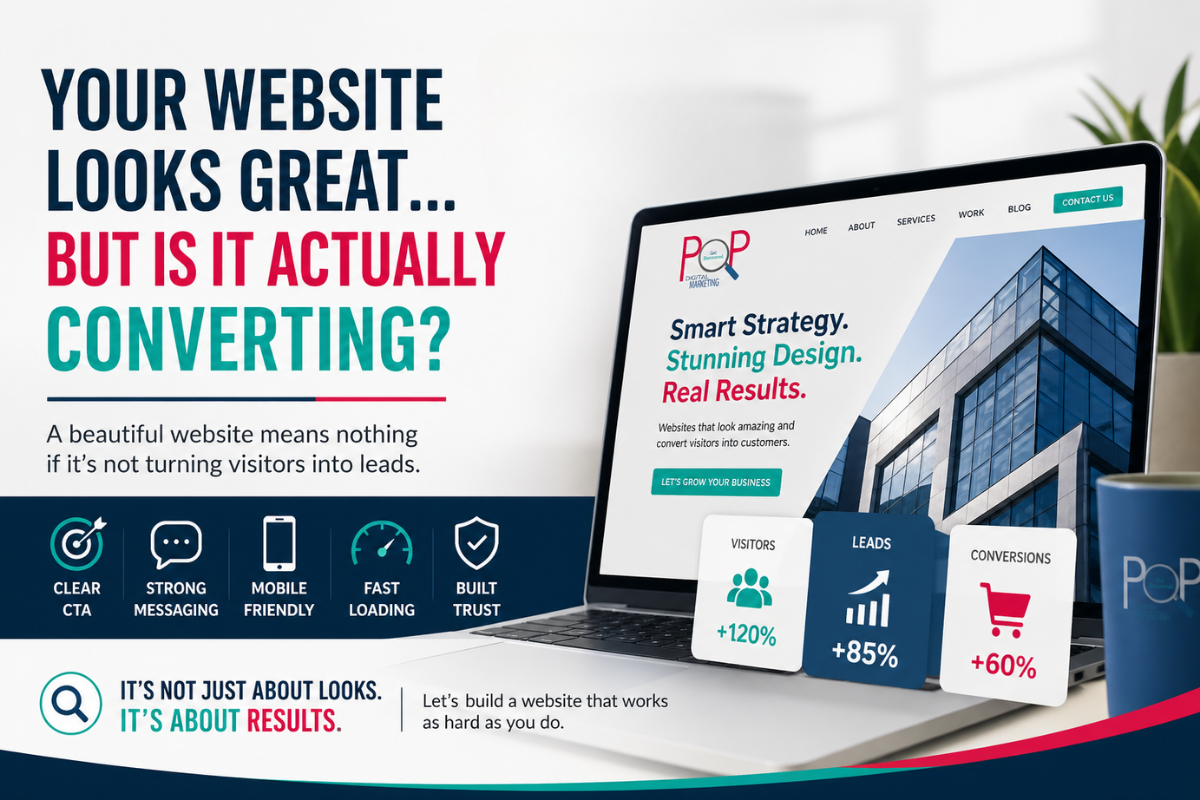
Your Website Looks Great… But Is It Actually Converting?

Your website may be visually stunning.

It may have sleek animations, beautiful imagery, and a polished brand identity.
But if visitors are landing on your site and leaving without taking action, your website isn’t doing its job.

At Pop Digital Marketing, we see this all the time: businesses invest thousands into a website redesign, only to realize months later that leads haven’t increased, phone calls haven’t improved, and sales remain flat.

Why?

Because a good-looking website and a high-converting website are not always the same thing.

What Does “Converting” Actually Mean?

A conversion is any action you want a visitor to take, such as:

  • Filling out a contact form
  • Booking a consultation
  • Calling your office
  • Purchasing a product
  • Signing up for your email list
  • Downloading a guide or resource

If your website is attracting traffic but not generating action, there’s a gap in your strategy.

5 Reasons Your Website Isn’t Converting

Your Call-to-Action Isn’t Clear
When visitors land on your website, they should know exactly what to do next.
Examples of effective CTAs:

  • Schedule a Consultation
  • Get a Free Quote
  • Book a Tour
  • Start Your AI Audit
  • Shop Now

If users have to search for the next step, they’ll leave

Your Messaging Is About You—Not Them
Many websites focus too much on the business:

  • “We’ve been in business 20 years.”
  • “We offer high-quality services.”

That’s great—but visitors are asking:
“How can you solve my problem?”

Strong messaging should quickly answer:

  • What you do
  • Who you help
  • Why you’re different
  • Why they should trust you

Your Site Isn’t Built for Mobile
Over half of web traffic comes from mobile devices.

If your site has:

  • Slow load times
  • Hard-to-click buttons
  • Poor formatting
  • Forms that don’t work well on phones

…you’re losing leads.

It’s Too Slow
A beautiful website filled with oversized images and fancy effects can hurt performance.
Even a 1-second delay can reduce conversions.

Site speed affects both:

  • User experience
  • SEO rankings

There’s No Trust Built In
People need reassurance before they convert.

Trust-builders include:

  • Testimonials
  • Reviews
  • Certifications
  • Case studies
  • Real photos of your team or work
  • Security badges or payment icons

Without trust signals, users hesitate.

How to Know If Your Website Has a Conversion Problem

Ask yourself:

  • Are people visiting but not contacting you?
  • Is your bounce rate high?
  • Are visitors dropping off on certain pages?
  • Are forms not being completed?
  • Are you getting traffic but few sales?

If so, your website may need more than a visual refresh—it may need a conversion strategy.

A Website Should Be Your Best Salesperson

Your website should work for you 24/7.

It should:

  • Attract the right audience
  • Build trust quickly
  • Guide users toward action
  • Convert traffic into leads and sales

At Pop Digital Marketing, we create websites that don’t just look good—they perform.

From design and messaging to SEO and conversion optimization, we help businesses turn clicks into customers.

Ready to See If Your Website Is Working?

Let us audit your current website and identify missed opportunities.

Contact Pop Digital Marketing today for a free website review.

Your Website Isn’t Just Competing on Google Anymore. It’s Competing With AI.

For years, visibility meant one thing: ranking on Google.

Today, that’s no longer enough. People aren’t just searching anymore, they’re asking.

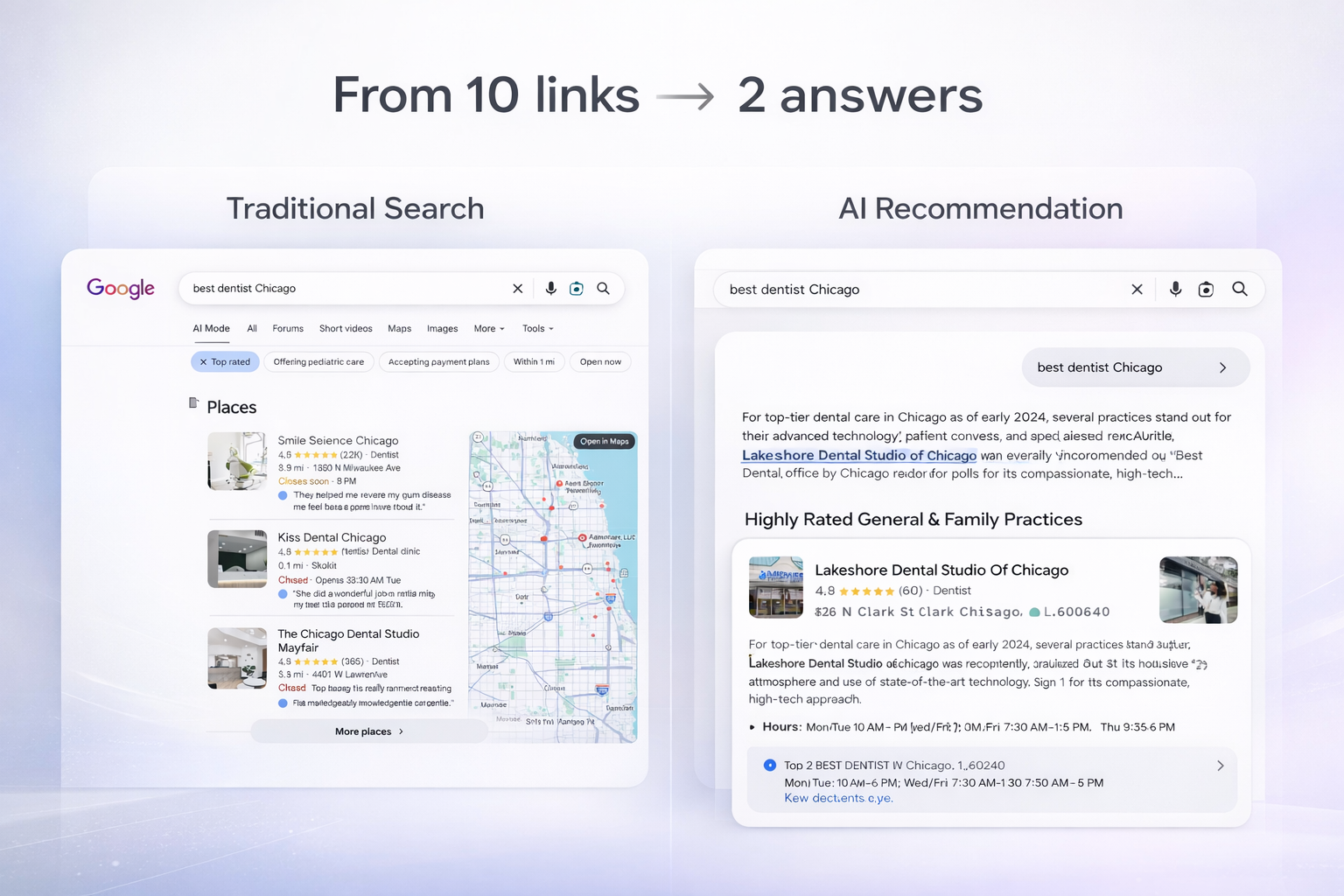
They ask Google’s AI summaries, Maps, voice assistants, and tools like ChatGPT. And instead of scrolling through ten links, they’re given two or three recommendations instantly. Sometimes just one.

So the real question isn’t, “Do you rank?”
It’s, “Does AI understand your business well enough to recommend you?”

Because if it doesn’t, you’re invisible, even if you’re the best option.

Search behavior has changed

People don’t type keywords the way they used to. They ask real, specific questions:

Who’s a good therapist near me who takes insurance?
What dentist can see me today?
What school has small class sizes?
Who’s the best divorce lawyer in my area?

AI scans the web and selects businesses that are clear, structured, and easy to interpret. Not the cleverest. Not the flashiest. The clearest.

“AI-ready” isn’t technical. It’s foundational.

There’s no special AI trick or tool. AI systems rely on the same signals search engines always have: clean site structure, clear service descriptions, accurate listings, helpful content, and trust signals like reviews.

In other words, they reward businesses that communicate well.

If your site is vague, outdated, or filled with marketing jargon, machines can’t categorize you, and they won’t surface you. It’s that simple.

Where most businesses fall short

We see it constantly. Websites describe themselves with phrases like “comprehensive solutions,” “client-focused care,” or “full-service offerings,” but never clearly state what they do, who they serve, or where they operate.

Humans might be able to piece that together. Algorithms won’t.

And if algorithms can’t define you, they can’t recommend you.

The businesses that will win

The companies showing up consistently are the ones that speak plainly, break services into dedicated pages, keep their listings accurate everywhere, answer real customer questions, and maintain modern, technically sound websites.

They’re simply easier to understand.

AI isn’t replacing good marketing fundamentals. It’s amplifying them.

The bottom line

Visibility today isn’t about chasing hacks. It’s about structure, clarity, and consistency.

The future of search is shorter lists and faster decisions. Fewer options get shown. If you’re not clearly understood, you’re not included.

Being excellent at what you do isn’t enough anymore. You also have to be unmistakably findable.

At Pop Digital Marketing, this is exactly how we approach modern visibility: building strong digital foundations that help the right customers find you naturally, whether they’re searching Google or asking AI.

Because when your presence is clear, growth follows.

Marketing Must-Haves: How We Stay Ahead—And Help You Do the Same 

In 2025, digital marketing isn’t just evolving—it’s accelerating. Staying relevant now means more than frequent posting or having a polished website. It requires adapting to new technologies, understanding shifting consumer behavior, and building strategies that actually drive results. 

At Pop Digital Marketing, staying ahead of the curve is our norm—so our clients can lead, not follow. 

Here are the five essential marketing must-haves your business needs this year—and how we help bring them to life: 

  1. Short-Form Video That Grabs Attention

According to HubSpot’s 2025 State of Marketing Report, short-form video continues to deliver the highest ROI—especially when paired with influencer collaborations. Platforms like TikTok, Instagram Reels, and YouTube Shorts are now the go-to channels for connecting with Millennial and Gen Z audiences. 

🎯 What we do:
We help clients turn video into impact. From content calendars and creative direction to editing tools that simplify the process, we make short-form video both accessible and strategic. Whether it’s behind-the-scenes moments, 15-second tutorials, or livestream Q&As, we help your story land—and stick. 

  1. AI-Driven Marketing That Works Smarter, Not Harder

AI is no longer an emerging trend—it’s a daily tool. As Deepak Bansal’s 2025 Trends Report shows, AI now drives everything from multi-modal content creation to smarter keyword targeting. 

🎯 What we do:
At Pop, we leverage AI to improve efficiency without losing creativity. From refining SEO strategy to automating workflows, we use AI tools to streamline content production and give clients data-informed direction they can trust while maintaining their unique brand identity. 

  1. Authenticity Through Visual Storytelling

Today’s audiences want more than polished content—they want realness. Visual storytelling creates emotional connection and builds brand loyalty faster than any ad spend alone. 

🎯 What we do:
We help brands show up authentically. Our creative team blends branded video, custom carousels, and user-generated content to visually share your values. The result? A brand that feels human—and unforgettable. 

  1. Hyper-Personalized Content That Converts

Generic marketing doesn’t cut it anymore. Consumers expect content that feels made for them—delivered at the right time, in the right place, with the right message. 

🎯 What we do:
We create with purpose. Every website, campaign, and piece of branded content is designed with your ideal audience in mind. We write copy that speaks their language, design responsive websites that guide them to act, and develop visual assets that reflect your brand’s story—built to connect and convert. 

  1. A Strategy That Evolves With the Industry

Trends shift—but smart strategy adapts. With AI, AR, and platform algorithms constantly changing the game, it’s critical to build marketing that’s rooted in research and made to move. 

🎯 What we do:
We conduct in-depth market research and competitive analysis to ensure your campaigns are primed for success from the start. Our strategy-first approach gives you the insights and agility needed to evolve with the market—without falling behind. 


Let’s Future-Proof Your Marketing 

Whether you’re looking to overhaul your digital strategy or make smart, data-driven refinements, we’re here to help you grow with confidence. At Pop Digital, we don’t just keep up with trends—we help you lead them. 

Ready to #GetDiscovered? Let’s build what’s next. Contact us today 

5 Questions to ask when Building a New Website

Building a new website is a project many companies take on with excitement.  However, after countless hours of confusing proposals from web designers, the project can quickly turn tedious.  In order to ensure you are getting the most out of this endeavor, I have compiled a list of 5 important questions you should ask when interviewing potential website designers.

  1. What platform do you recommend for my business?

building a websiteThere are many different website building platforms out there and understanding which one your designer is most skilled in is very important.  More so, you want to know why they would recommend your site to be built on a specific platform.  If you work as a photographer, Square Space may be best for you. Whereas if you have high traffic online store, Drupal may be the top option as it has the highest rating for multiple users at a time.  WordPress works great for many CMS (Content Management Systems) needs and is usually Pop Digital Marketing’s “go-to” platform due to its versatility.
Your site should reflect the needs of your customer!  Not solely the expertise of the web-designer.  A web-designer must be well-versed in all the top options in order to best evaluate which one would fit the needs of your site while also assessing what type of online experience your customers are looking for.

  1. Does my package come with a responsive design?

A responsive design refers to a site providing an optimal viewing experience across a range of devices (computer, phone, tablet etc.) while minimizing the need to re-size words or navigations.  In April, 2015, Google began to boost ratings and positions of sites that had a responsive design.

In today’s world – you should not be charged extra for a mobile ready site.  Any theme created in the last 5 years is already made with a responsive design option and all custom designs should include that in the package.  Paying extra for a responsive site in 2017 is like paying extra for air-conditioning in a car after 1970.  The demand is that 100% of sites need it, therefore it should not be an optional “add on”.

  1. Will you be using a pre-made template or custom building one?

This question is important because the price between the two options varies immensely.  If your designer is using a pre-made template or a “theme”, it means they do not have to build the infrastructure of the site, rather they are just using modules or plugins to “fill the pieces in”.  If the designer is custom building the site, they are doing everything from the ground work up.

There are certainly pros and cons to both.  Overall, a pre-made template will cost you a lot less.  Using a pre-made template means updates are done by the theme designer- not your website designer, at no extra cost and requires little from your end.  If you have an employee on your team that can routinely press the update button on the site when prompted, this may be the best choice for you.

A pro to building your own custom site is that it is made exactly how you choose.  You do not feel constricted by what a theme can or cannot do.  A con to building a custom site however is you will likely have to pay your web designer an ongoing fee to maintain the site.  What if they go out of business or show a lack of responsiveness?  You do have to consider how a long term relationship will play out with this web designer.

  1. How will the site be optimized?

The whole goal of a website should be to attract leads and develop them into a customer.  If your site is not optimized from the backend with meta data to the front end with on page relevant keywords and call to actions, your site will fail you.

As a result of search engines now measuring on-site engagement in their rankings, you must also ask your designer what they plan for the “user experience”.  Will there be a user flow plan?  What actions do you anticipate the potential customer to take on each and every page and how will your site nurture their interest?

  1. Who will update it and how often?

It is important to understand the ongoing expectations before you sign any contracts.  If you have someone on your team that can manage the sit-e great!  If not, make sure to ask your website designer what type of retainer fees/programs they offer to maintain your site updates.

This will help you avoid the common issue of possessing a great website but not knowing how to add to or edit it.  Ask your designer to include an hour or two training session as part of your contract once the site is done, but before you go “live”.